Smart Search
Search using everyday language and combine semantic meaning with known people, dates, locations, ratings, albums, and media types.
PhotoHelm runs its core indexing, Smart Search, face recognition, quality analysis, duplicate analysis, captions, and sampled-frame video analysis on your computer.
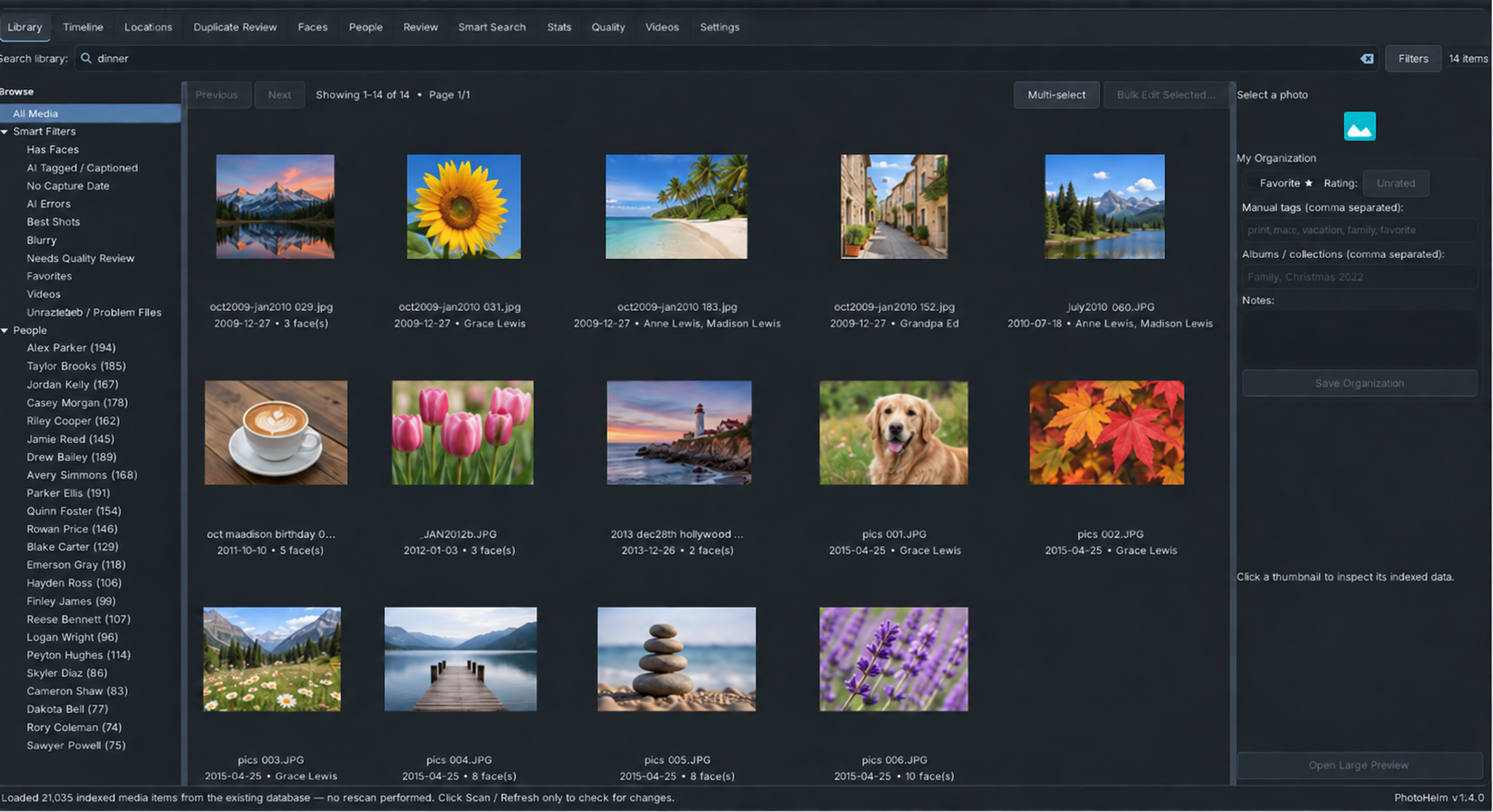
PhotoHelm performs its core photo and video analysis on the machine where the application is installed. Your original media remains in the folders you already use.
Internet access is used only for optional services such as first-time component downloads, license activation, and GPS place-name lookup. Your photos and videos are not uploaded for analysis.
Search using everyday language and combine semantic meaning with known people, dates, locations, ratings, albums, and media types.
Detect faces, group similar faces, name people, correct uncertain matches, merge identities, and keep trusted reference faces.
Review blur, exposure, resolution, and other technical quality signals without changing the original media.
Find exact and near duplicates and record review decisions without deleting the source files.
No. PhotoHelm's core AI and analysis run locally on the computer where PhotoHelm is installed.
Yes. PhotoHelm indexes media at its existing filesystem paths and stores organization and analysis in the PhotoHelm database.
Yes, for optional or setup-related functions such as first-time component downloads, license activation, and GPS place-name lookup.

Local photo and video organization, search, and analysis.