Library
Search and combine structured filters for people, dates, cameras, locations, quality, ratings, tags, albums, media type, AI status, and more.
PhotoHelm catalogs, searches, organizes, and analyzes large photo and video libraries while leaving the original media in the folders you already use.
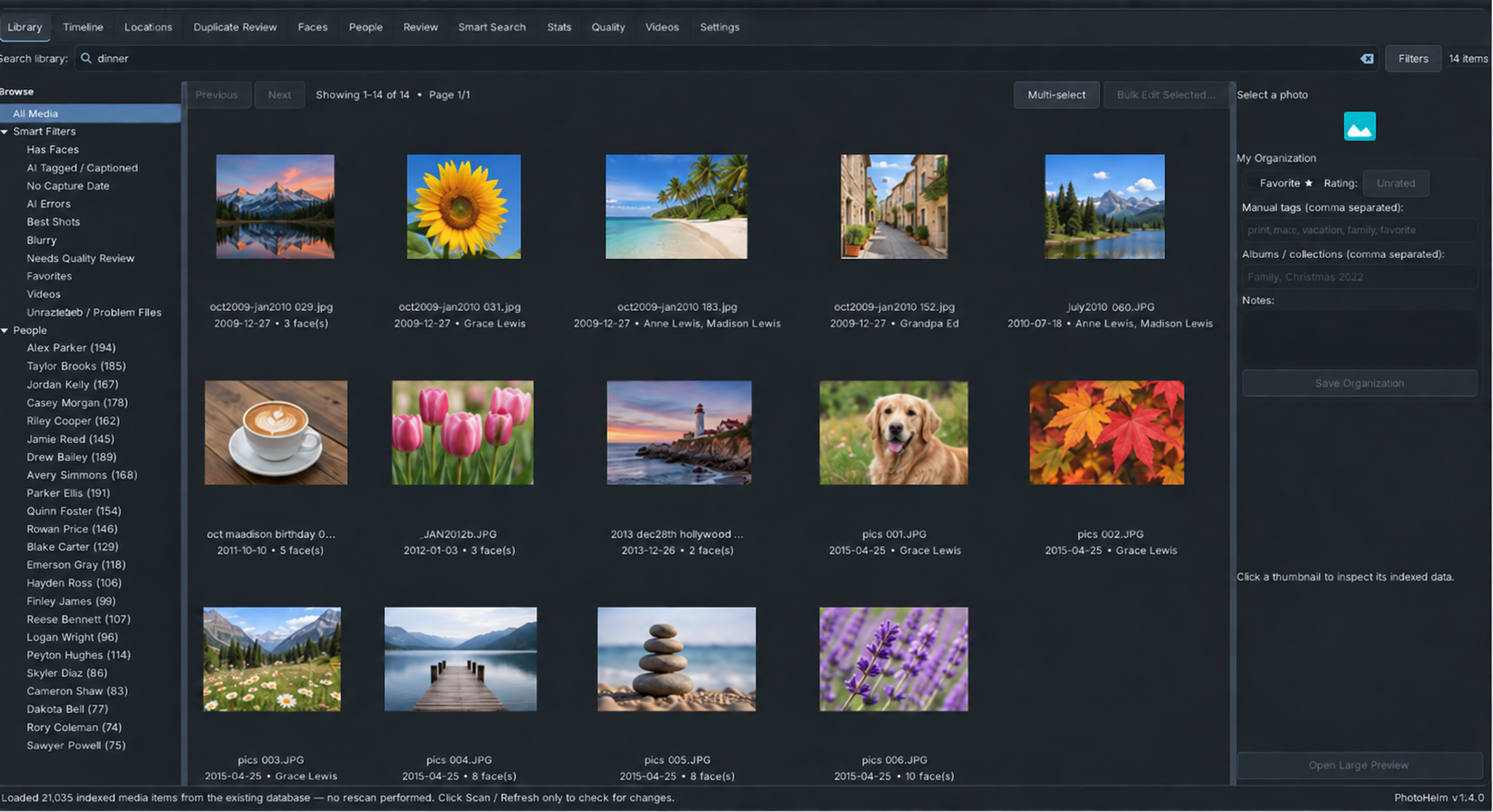
PhotoHelm combines ordinary library organization with local analysis tools designed for large, real-world collections.
Search and combine structured filters for people, dates, cameras, locations, quality, ratings, tags, albums, media type, AI status, and more.
Use everyday language to search across people, places, dates, ratings, albums, captions, tags, media type, and semantic visual meaning.
Detect faces, group similar faces, name people, correct uncertain matches, merge identities, and keep trusted reference faces.
Review best shots, blurry images, exposure issues, low-resolution items, and files that need attention without changing the source media.
Find exact and near duplicates, compare recommendations, and record keep/remove-candidate decisions without deleting files.
Group photos and videos into events based on capture time, then give those events meaningful names without rearranging folders.
Browse GPS-tagged media by place, resolve selected coordinates to human-readable names when you choose, and jump back into the Library.
Index video metadata and analyze representative sampled frames for local AI results and optional people recognition.
Browse your library, explore locations, review videos, and move quickly between organization, search, and analysis tools from one desktop application.
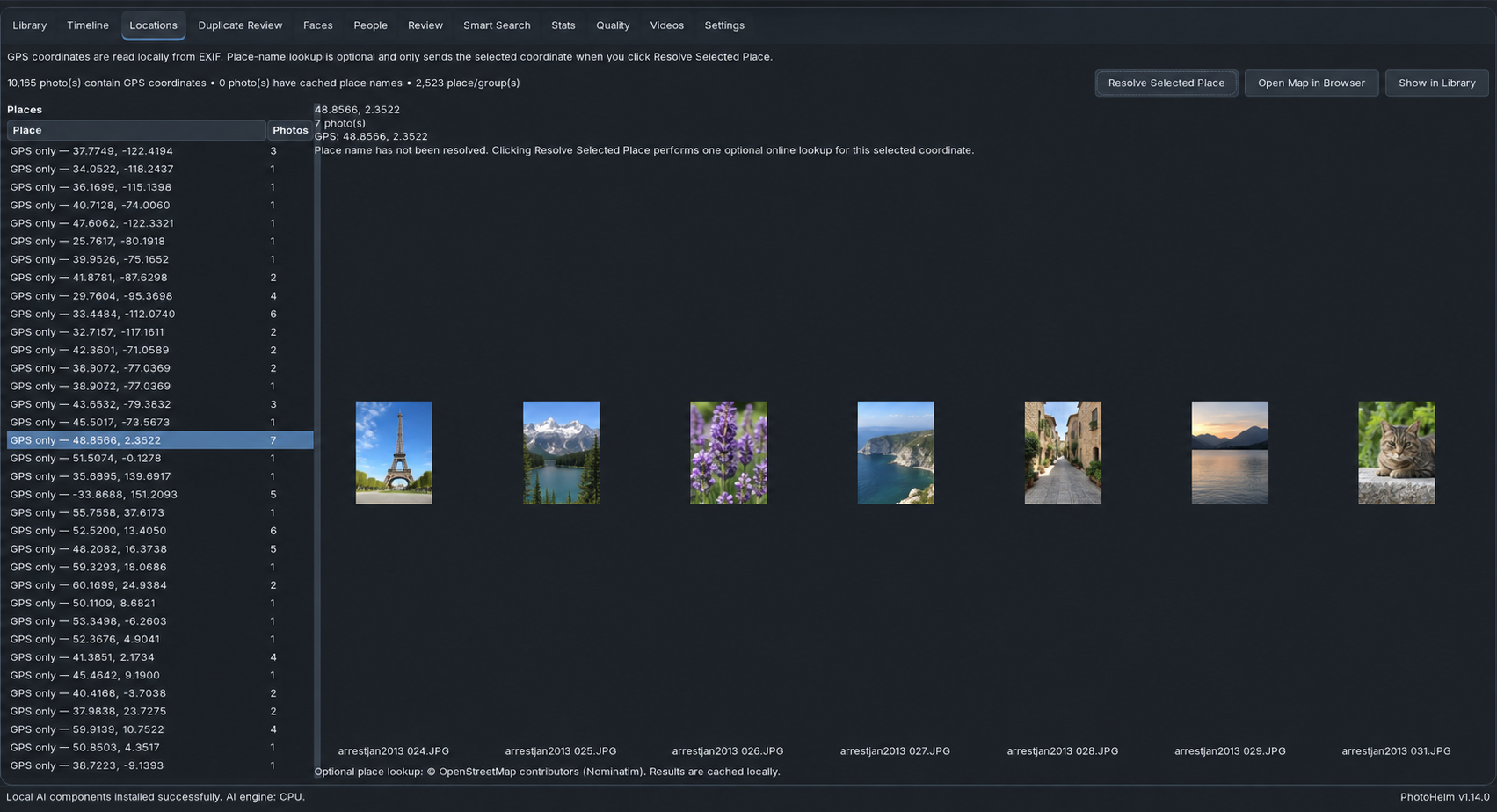
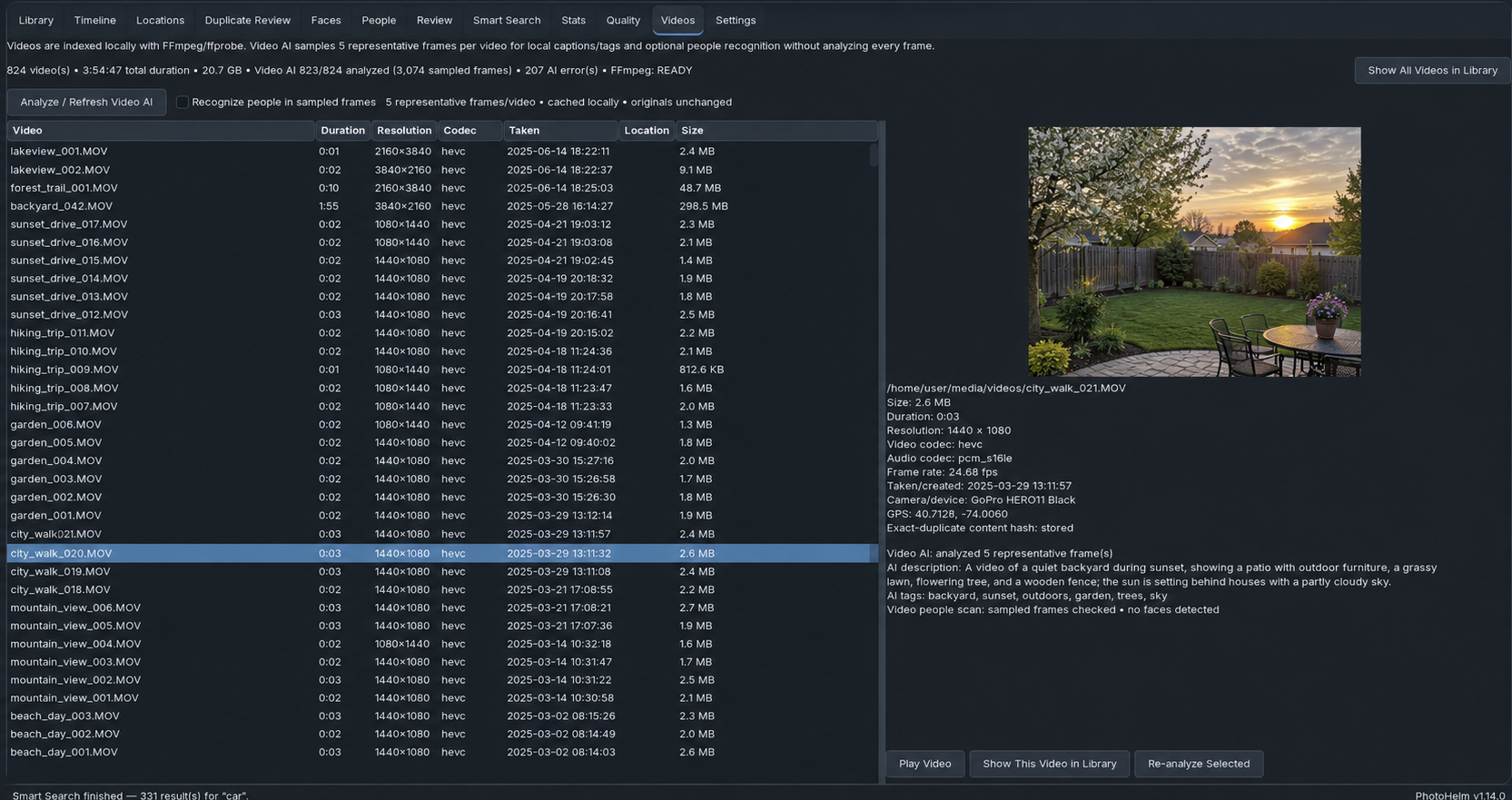
PhotoHelm's core indexing, face recognition, quality analysis, duplicate analysis, captions, Smart Search, and sampled-frame video analysis run locally on the machine where PhotoHelm is installed.
Internet access is used only for optional services such as first-time component downloads, license activation, and GPS place-name lookup. Your photos and videos are not uploaded for analysis.
You do not need to import your originals into a proprietary managed library.
Select the top-level folder you already use. Subfolders are included.
PhotoHelm indexes new and changed media and runs the enabled incremental analysis steps.
Add favorites, ratings, manual tags, albums/collections, and notes without editing the source files.
Work through people matches, unknown faces, quality results, duplicates, missing dates, and problem files.
Create a compressed backup of the SQLite knowledge database after important organization work.
A technically weak image may still be personally important or artistically intentional.
Duplicate Review records a decision in the database. PhotoHelm does not remove the original file.
Stop Processing preserves completed work. A later Scan / Refresh checks what still needs to be done.
PhotoHelm 1.17.0 is available for Windows 10/11 and Debian/Ubuntu-family Linux systems. Both builds include the same 10-day full-feature evaluation and use the same PhotoHelm library format.
PhotoHelmSetup-1.17.0-Windows.exeThe first Windows installation may take 5–15 minutes while required components are downloaded and installed. The computer remains usable while setup works.
sudo apt install ./photohelm_1.17.0_all.debLinux dependencies are installed through apt.
No. PhotoHelm indexes and analyzes media while keeping original photo and video files at their existing filesystem paths. Organization is stored in the PhotoHelm database.
No. Exact and near-duplicate analysis produces recommendations and stores keep/remove-candidate decisions. Deleting an original file would be a separate action outside PhotoHelm.
The optional AI components run locally after the required packages and models are installed. PhotoHelm can combine semantic search with known people, dates, locations, ratings, albums, and media types.
Usually about 5–15 minutes on a typical broadband connection. PhotoHelm downloads and installs required components during first-time setup, so the progress bar can appear to pause while work continues. Your computer is not frozen and remains usable.
The compressed database backup protects PhotoHelm metadata such as AI results, People data, Timeline and Locations information, duplicate decisions, favorites, ratings, tags, albums, and notes. It is not a backup of the original photos and videos.
The evaluation includes the full PhotoHelm feature set. No separate demo edition is required. Install the build for your platform, point PhotoHelm at your existing media folders, and evaluate it with your own library.
Automatic installer with required Windows runtime and dependencies.
Native Debian package with dependencies handled through apt.
Want to verify your download? View SHA-256 checksums.
Need help getting started? Download the PhotoHelm Getting Started Guide.
Try the complete application for 10 days. If PhotoHelm fits your library, purchase a license once and continue using it.
One PhotoHelm license with the full current feature set and no recurring subscription.
Download the same full application and try it with your own photo and video library before purchasing.

Local photo and video organization, search, and analysis.